Writing a skill is easy. Knowing it fires at the right moment, does the right thing, and isn't overfitted to the one example you wrote it against is the hard part. Masterwork scores a skill against real scenarios, so you rely on evidence instead of hope.
$npx masterwork
Runs on your machine and talks to your own claude CLI, so it uses the subscription you already pay for. No API key. Your skills never leave your disk.
A simulation runs a skill against a scenario and grades the result on a checklist of capabilities. A miss names the criterion and the line that failed, so the edit is obvious. Re-run, and the score tells you whether the fix held.
A generality audit runs after, asking whether the skill would survive a different repository or a differently worded request, and flags what was tuned to a single example.
Every score is kept, so a skill has a history rather than a feeling.
alembic upgrade head now refuses to run.alembic heads and alembic history before any file is touched.alembic merge.SKILL.md.
A SKILL.md is the same file for every agent, but each agent reads only its own folder. Masterwork lists them all and says which agents actually load each skill, so a copy nothing reads is visible instead of silent.
~/.claude/skills
Read by Claude Code alone. A skill here is invisible to Codex.
Claude only~/.codex/skills
Read by Codex alone. Scanned when the folder exists. A skill can also be switched off here without deleting it.
Codex only~/.agents/skills
One copy on disk, linked into each agent's folder. Make generic does the move and the links in one click.
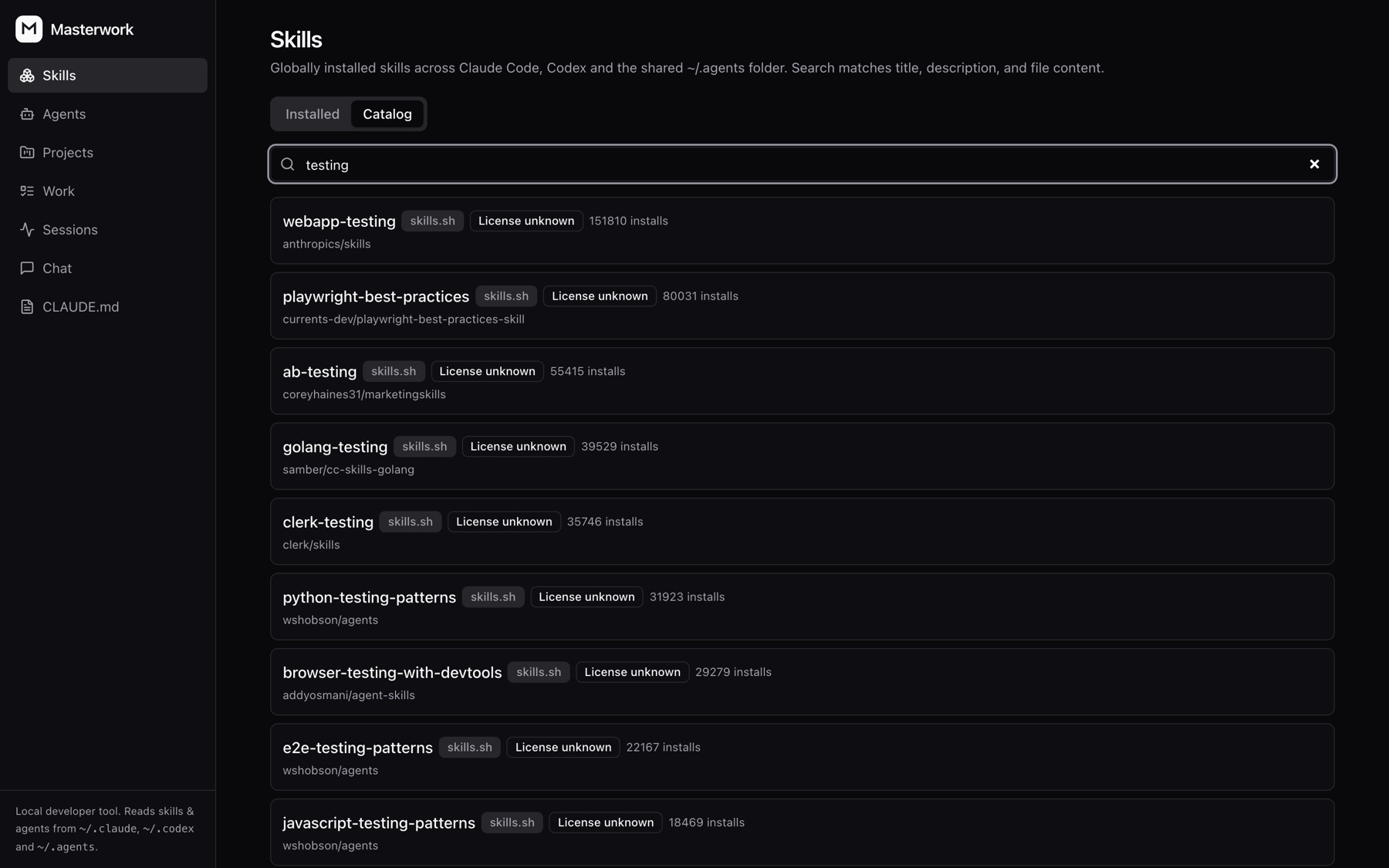
Generic · Claude, Codex Generic · unlinkedSearch skills.sh and GitHub's claude-skills topic in one box, read the SKILL.md before you commit, and install. A repo without a license says so, and takes a second click. Check an installed skill against its source later and pull the update.
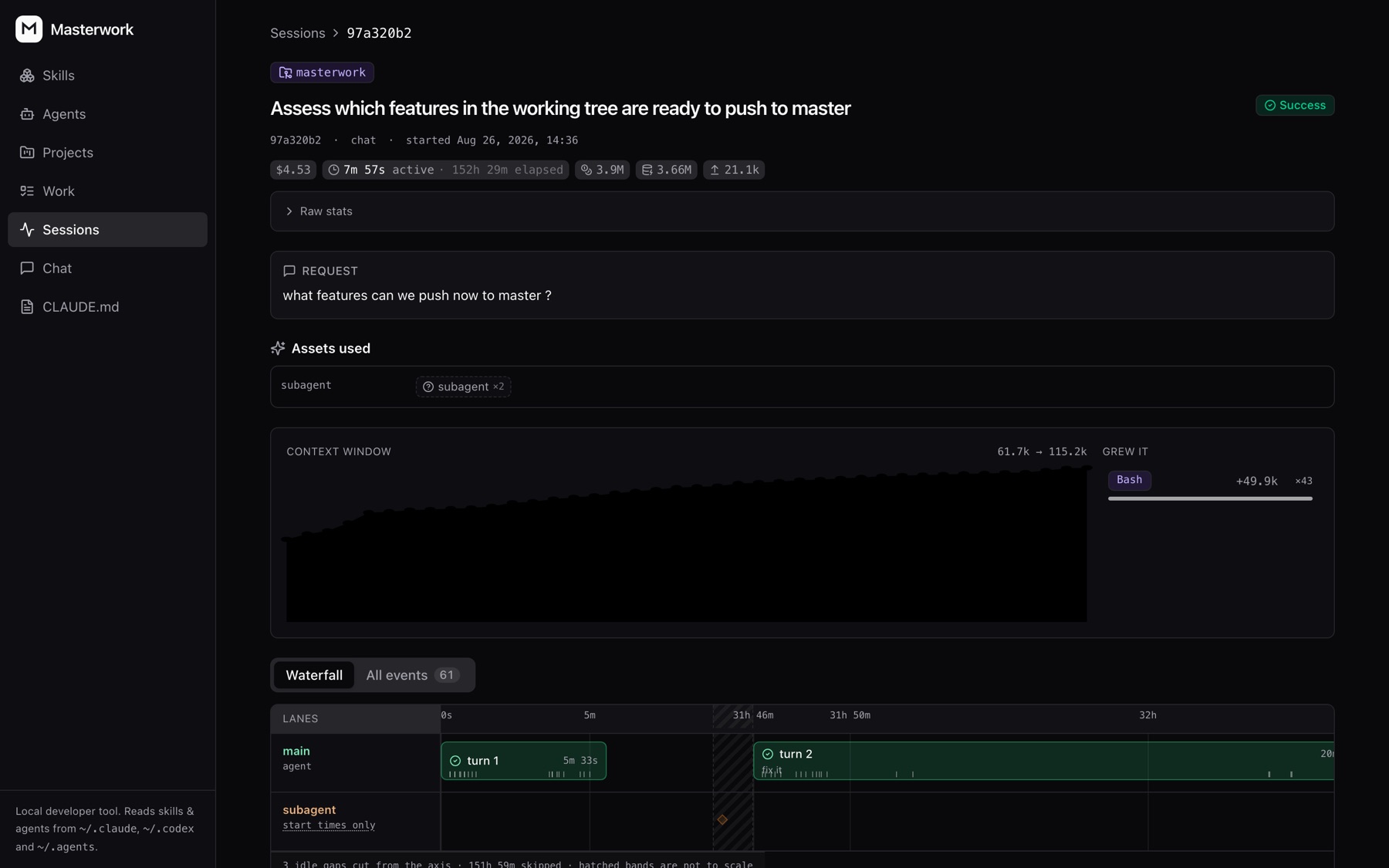
Switch on recording and every Claude Code and Codex session is kept: which skills and subagents it used, where the time went, what it cost. A skill's score and its real usage sit in the same place.
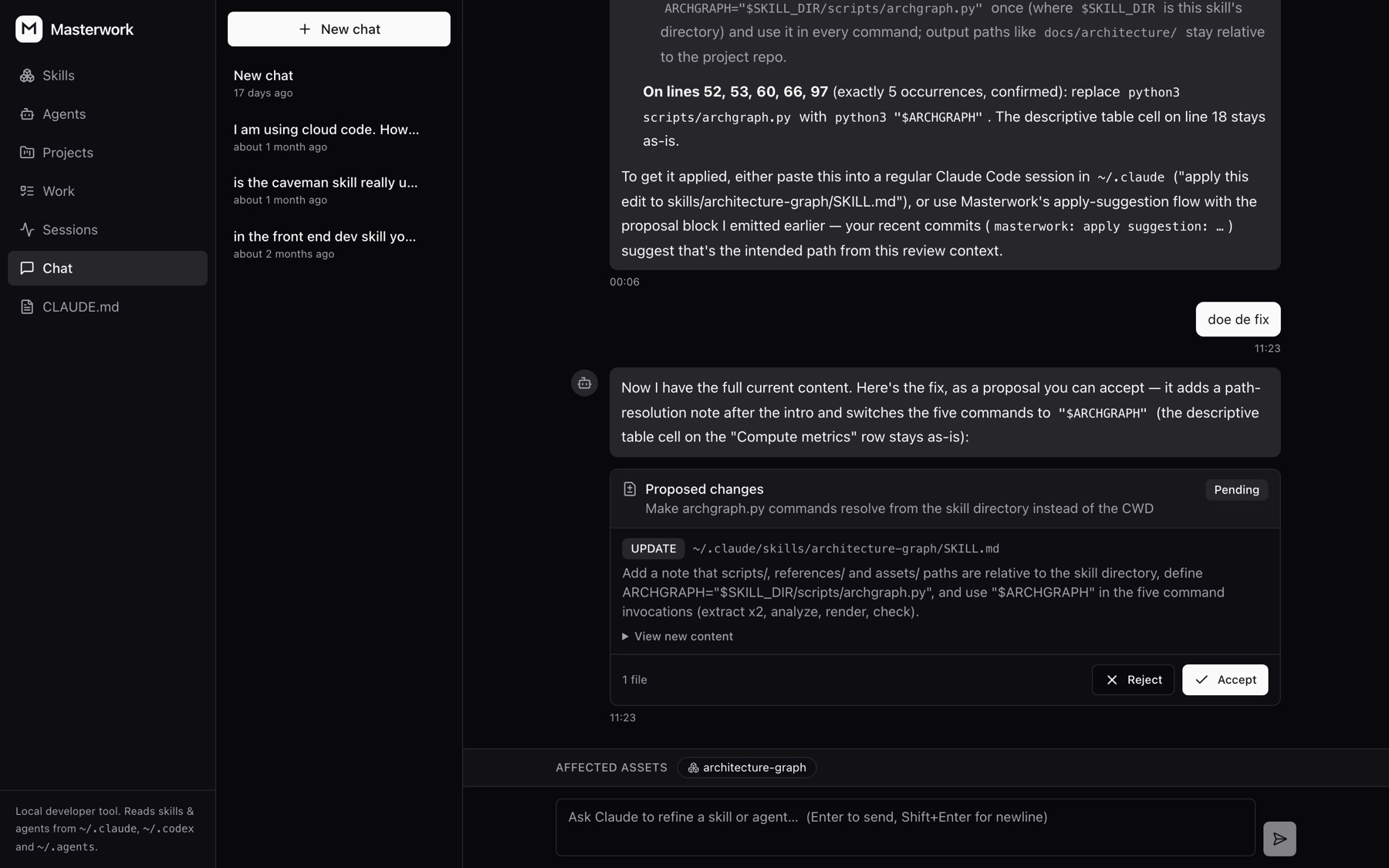
Describe the change you want. The assistant reads the file and answers with a proposal, one diff per file, with Accept and Reject under it. Its tools are read-only, and every accepted change is a git snapshot you can revert.
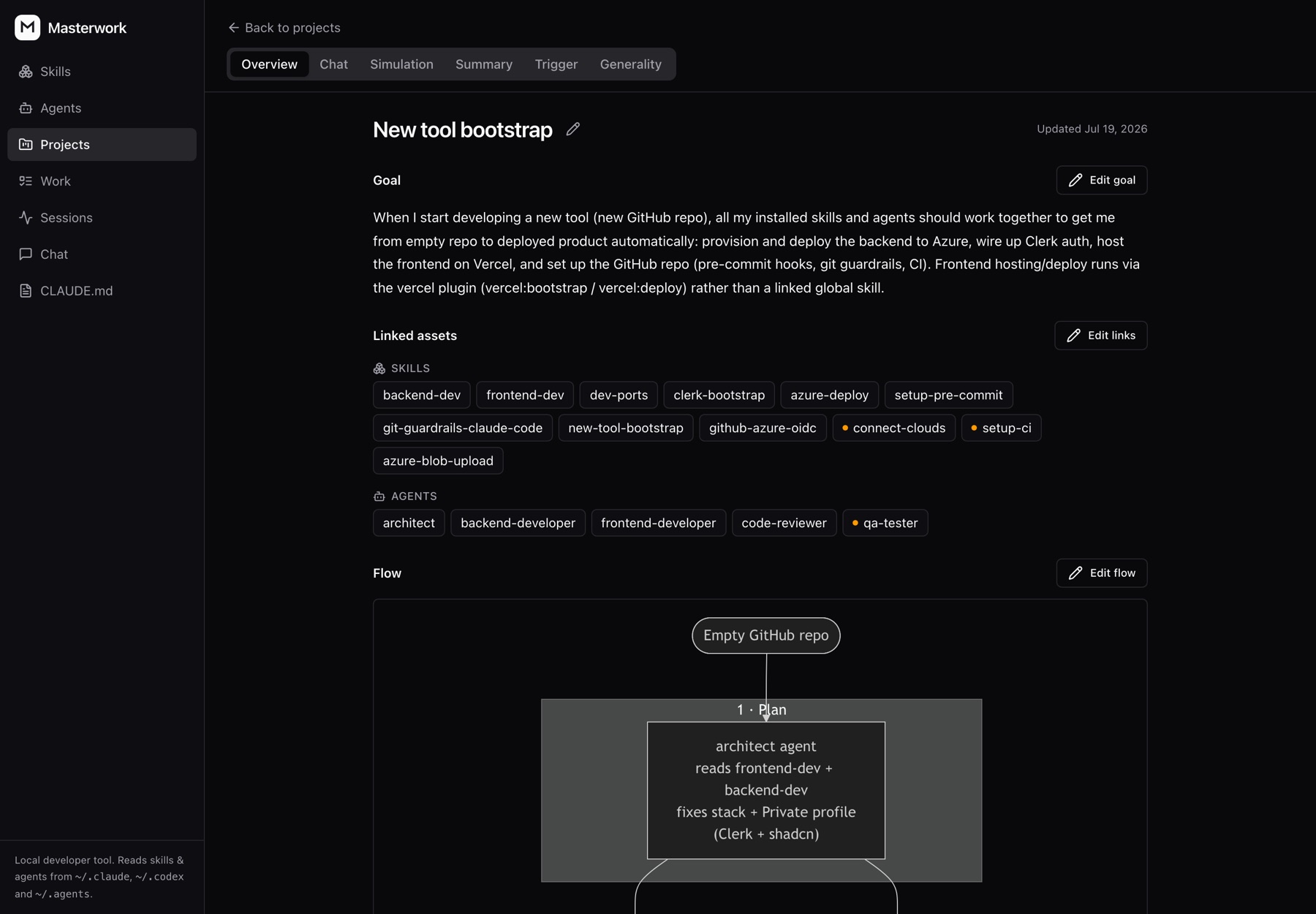
Group the skills and agents that serve one goal, get a summary and a Mermaid flow of how they fit, and simulate the whole set against the goal in one run. Subagents get the same treatment as skills, with the skills each one calls on shown beside it.
Skills Manager is a fine library; Anthropic's skill-creator is a fine grader; ccusage is a fine bill. Masterwork is the one that joins the three: what a skill is, whether it works, and what it did in your real sessions.
| Capability | Masterwork | Skills Manager | skill-creator | ccusage |
|---|---|---|---|---|
| Browse and edit skills across agent folders | Yes | Yes, 50+ agents | No | No |
| Shows which agents load each copy | Yes | Yes | No | No |
| Install from skills.sh and GitHub | Yes | Yes | No | No |
| Score a skill against a scenario with a checklist | Yes | No | Yes, from the CLI | No |
| Score history per skill, re-run after an edit | Yes | No | One-shot benchmark | No |
| Generality audit for overfitted skills | Yes | No | Improve mode | No |
| Session records with skills used, time and cost (Claude Code, Codex) | Yes | No | No | Cost only |
| Subagents alongside skills | Yes | No | No | No |
| Desktop installer | npx, not yet | Mac, Windows, Linux | Plugin | npx |
| Runs with your subscription, no API key | Yes | Yes | Yes | Yes |
As of September 2026, from each project's own documentation. Tell us on GitHub if a row is out of date.
One command. It installs what it needs, migrates a local SQLite database, starts both servers and opens the browser. Ctrl-C stops everything.
# the whole thing npx masterwork # from a clone, if you want to hack on it git clone https://github.com/flieks/masterwork.git cd masterwork npm start
Everything is stored in ~/.masterwork: chat sessions and simulation history. Your skills stay where they are on disk. Postgres works too, if you set DATABASE_URL.